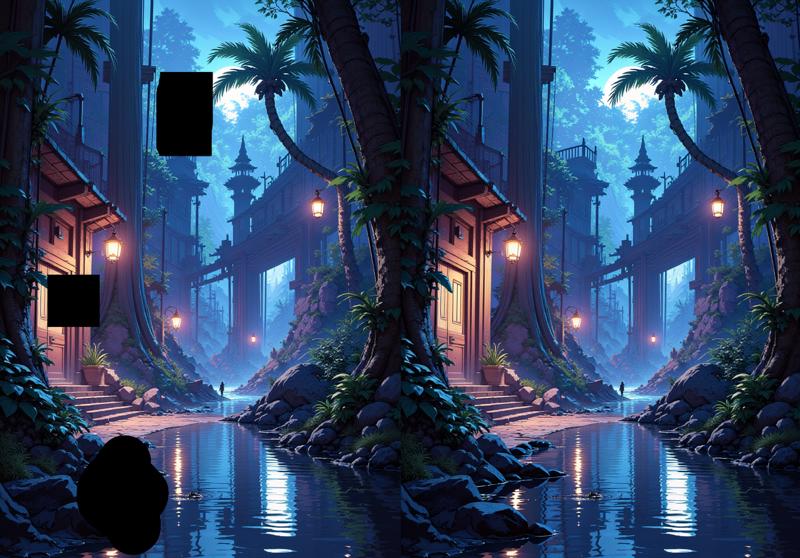
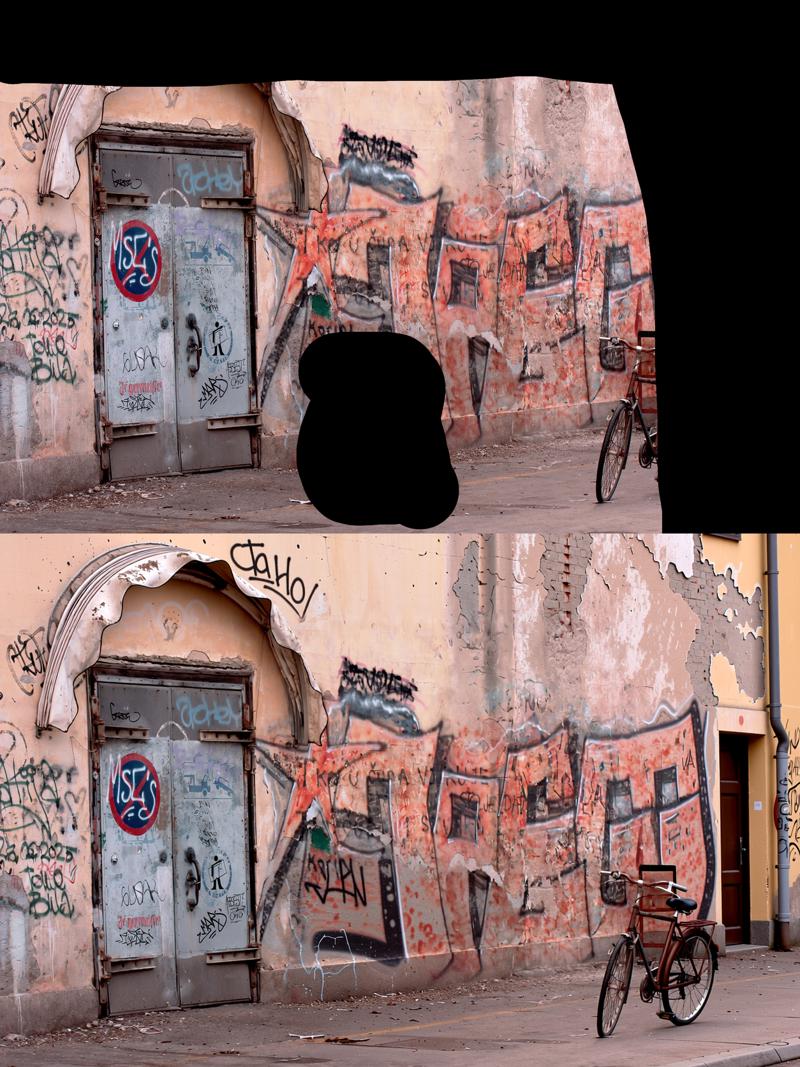
Qwen Image Edit Easy Inpaint LoRA
Inpaint the black areas.About this LoRA
Note: this is for Qwen Image Edit, not Qwen Image.This lora inpaints over completely black areas in an image. Start your prompt with this:Inpaint the black...
Categories
Examples


Introduction
The Qwen Image Edit Easy Inpaint LoRA is an incredibly useful tool crafted specifically for Qwen Image Edit models. Its primary function is to simplify the inpainting process by intelligently filling in completely black areas within your images. This LoRA is perfect for artists and creators looking to quickly refine, fix, or add new elements to specific sections of their AI-generated artwork with minimal fuss. It streamlines a common task, making your creative workflow smoother and more efficient.
How to Use
Getting started with this LoRA is quite straightforward, focusing on clear instructions to guide the AI.
- Trigger Word: The most crucial step is to always begin your prompt with the exact phrase:
Inpaint the black areas.This tells the LoRA what its core task is. - Recommended Weight: The original description doesn't specify a recommended weight. However, for most LoRAs, a weight between 0.7 and 1.0 is a good starting point to achieve noticeable and effective results. Feel free to experiment with values in this range to fine-tune the output to your liking.
- Best Settings & Tips:
- After including the trigger word, you have the freedom to add more specific instructions to guide the inpainting process. For instance, you could write: "Inpaint the black areas. Make it a vibrant, blooming flower garden."
- This LoRA is designed to be compatible with other regular Qwen Image LoRAs. This means you can combine it with other models to influence the overall style or content of your output, offering greater creative control.
- For optimal results, this LoRA works best with completely black, hard-edged areas. The creator noted that it wasn't tested on soft edges, so using soft brushes or gradients for your black masks might lead to unpredictable or less precise outcomes. Stick to clear, defined black shapes.
- You have a couple of options for creating the black areas: either manually black out sections in your preferred image editing software, or, for advanced users, explore the sample ComfyUI workflow provided by the creator. This workflow utilizes a specific node from the Unusual-Tools collection for precise masking.
FAQ
Q: What's the trigger word?
A: Use Inpaint the black areas. in your prompt.
Q: What weight should I use?
A: The creator didn't specify a weight, but a range of 0.7 to 1.0 is a good starting point for most LoRAs. Experiment to find what works best for your specific needs.
Q: What base model is this for?
A: This LoRA is specifically designed for the Qwen base model, and it's important to note its particular compatibility with Qwen Image Edit. The creator explicitly states it's not intended for the standard Qwen Image model, so ensure you're using the correct base for the best results.
Technical Details
- Base Model: Qwen (specifically Qwen Image Edit)
- Source: Civitai
Gallery