![[Qwen Edit] OOTD Lora](/_next/image?url=https%3A%2F%2Fimage.civitai.com%2FxG1nkqKTMzGDvpLrqFT7WA%2F9a63e03c-e21e-471f-a25e-38da8ffad438%2Fwidth%3D400%2F96235724.jpeg&w=1920&q=75)
[Qwen Edit] OOTD Lora
About this LoRA
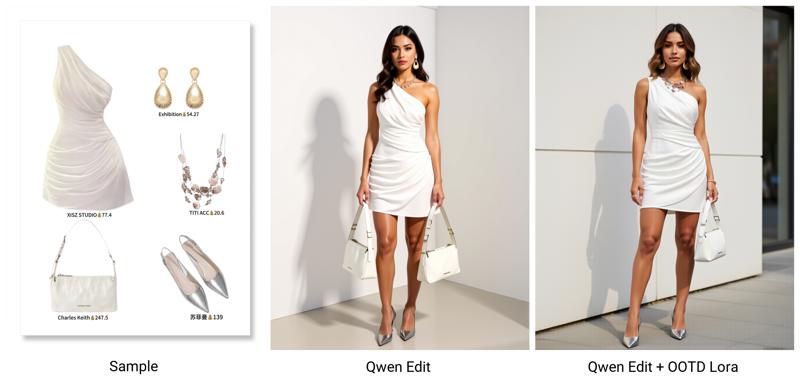
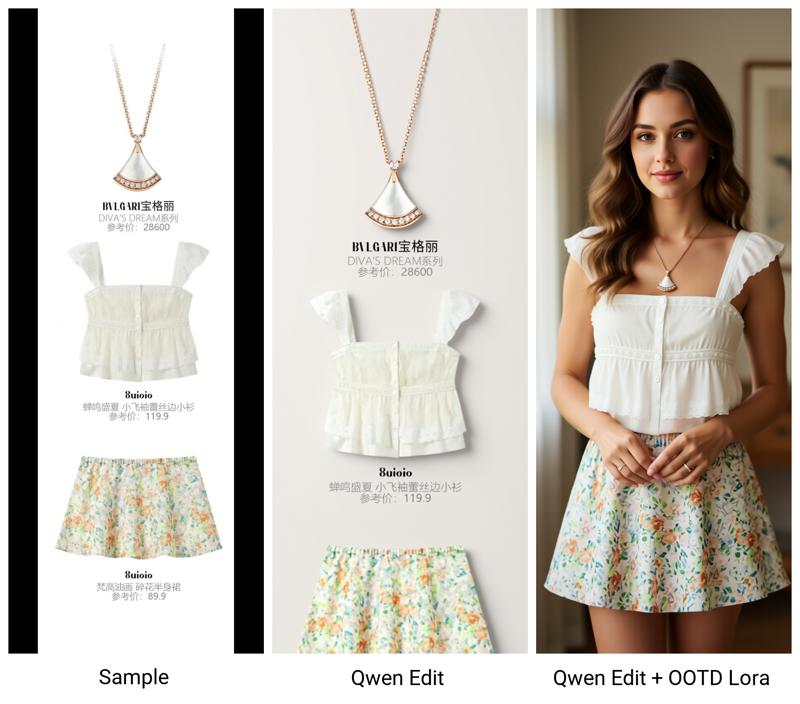
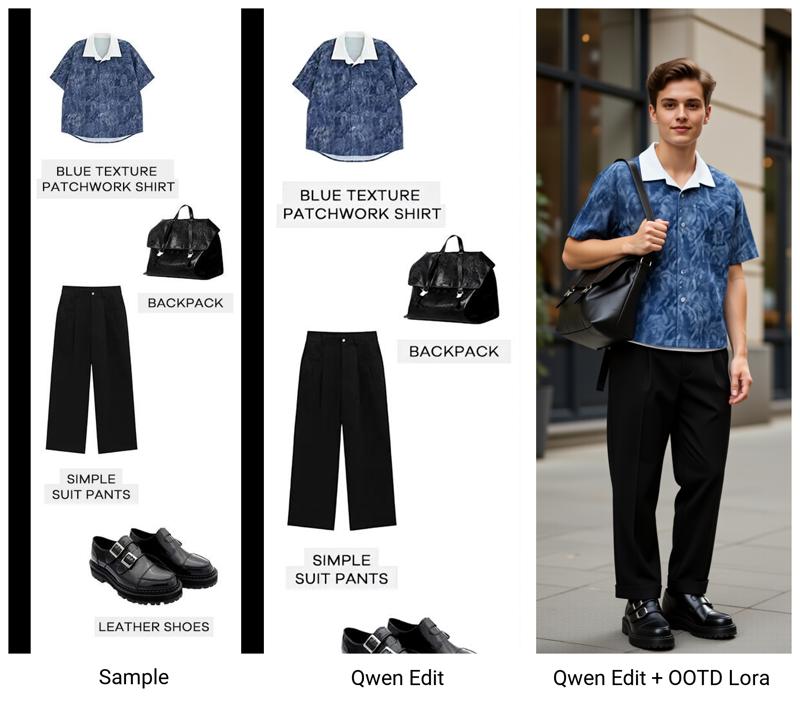
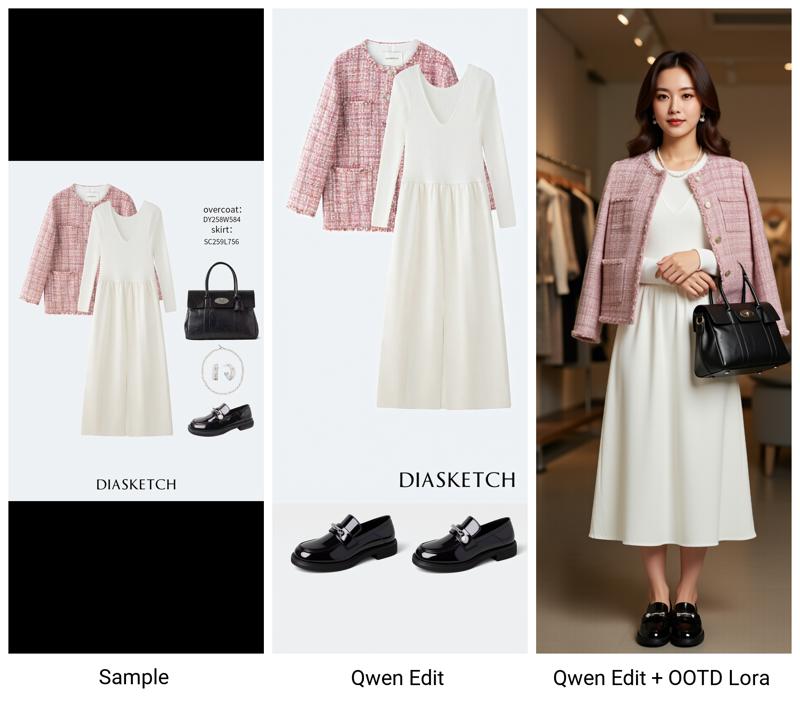
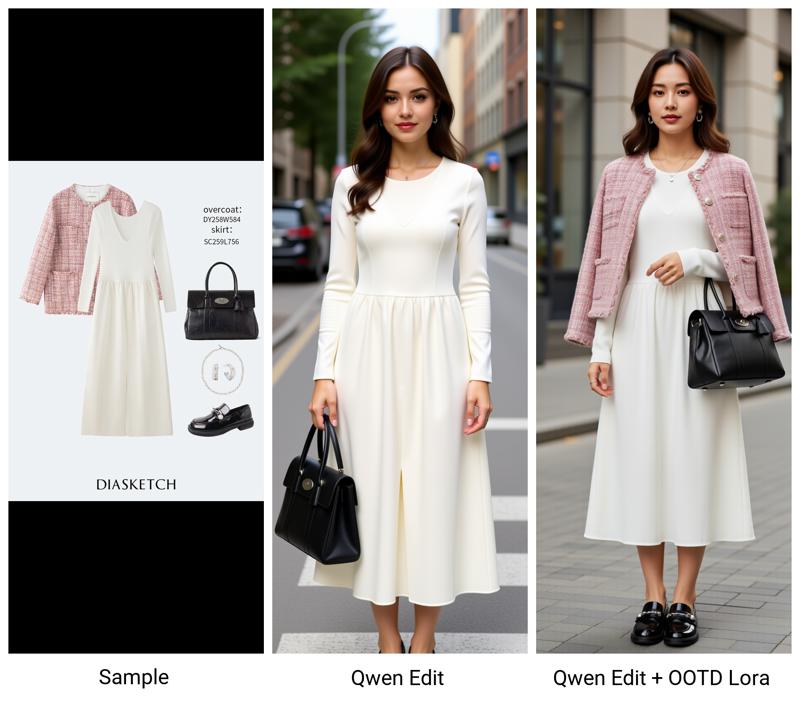
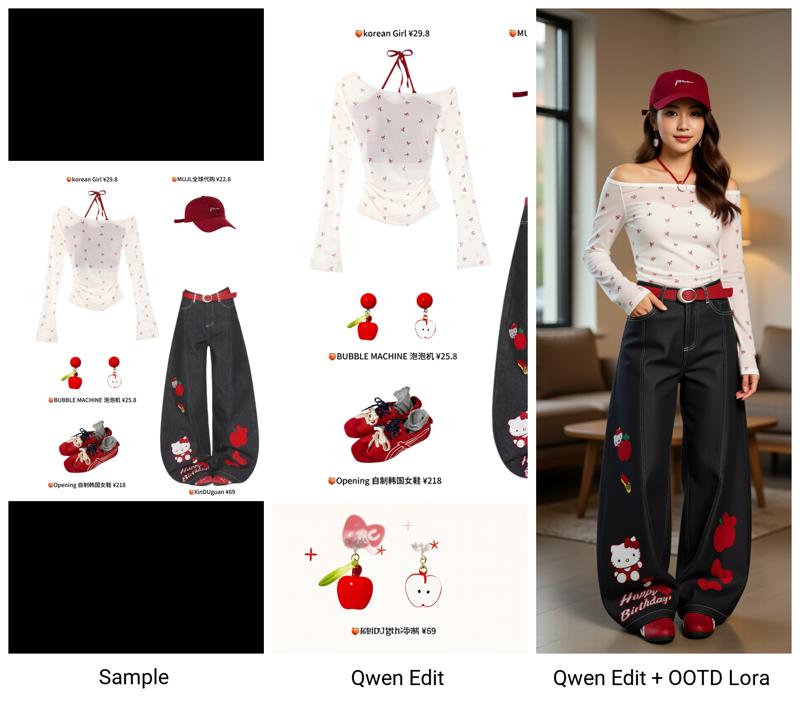
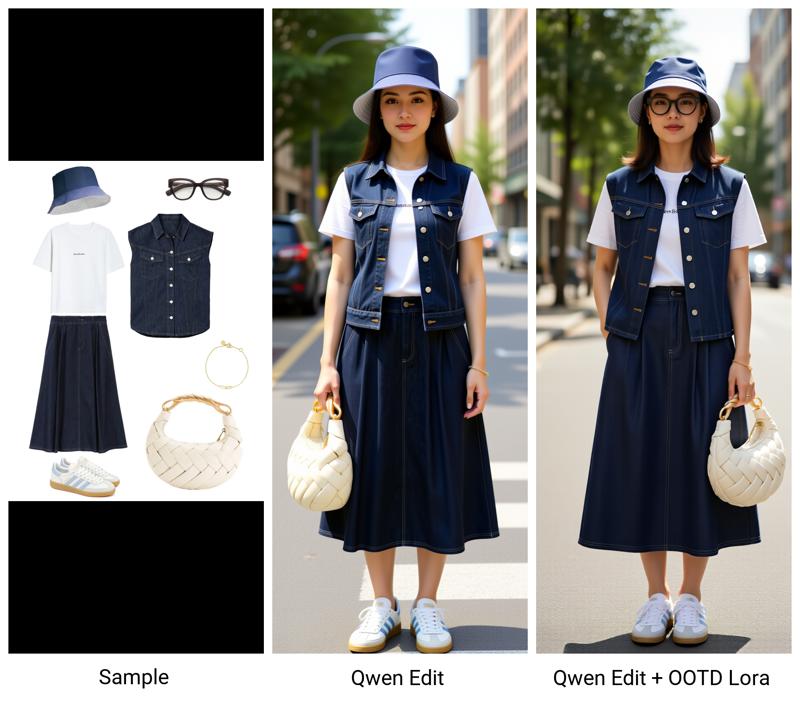
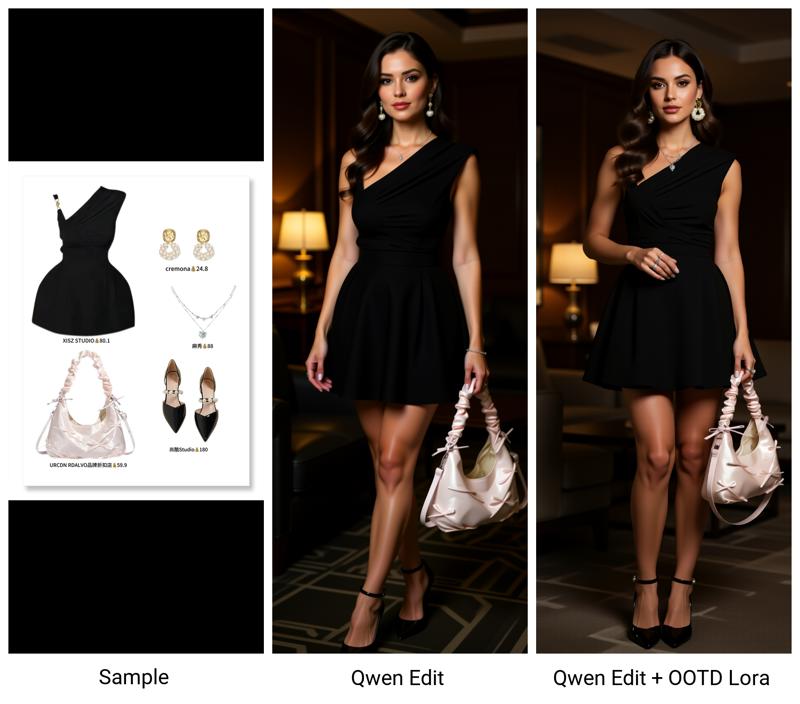
This lora trained with T2ITrainer https://github.com/lrzjason/T2ITrainerUsed 20 pairs data. Cloth image as reference and target is nano-banana generated...
Examples
![[Qwen Edit] OOTD Lora example 1](/_next/image?url=https%3A%2F%2Fimage.civitai.com%2FxG1nkqKTMzGDvpLrqFT7WA%2F680a1262-1eda-4496-a787-fb55e1c46bc3%2Fwidth%3D600%2F96235723.jpeg&w=1920&q=75)
![[Qwen Edit] OOTD Lora example 2](/_next/image?url=https%3A%2F%2Fimage.civitai.com%2FxG1nkqKTMzGDvpLrqFT7WA%2F9a63e03c-e21e-471f-a25e-38da8ffad438%2Fwidth%3D600%2F96235724.jpeg&w=1920&q=75)
![[Qwen Edit] OOTD Lora example 3](/_next/image?url=https%3A%2F%2Fimage.civitai.com%2FxG1nkqKTMzGDvpLrqFT7WA%2F73b5c5a4-1d30-4502-9123-f039c01f7d4e%2Fwidth%3D600%2F96235721.jpeg&w=1920&q=75)
![[Qwen Edit] OOTD Lora example 4](/_next/image?url=https%3A%2F%2Fimage.civitai.com%2FxG1nkqKTMzGDvpLrqFT7WA%2F8ea835b4-a772-4964-b9c3-e6fd106f952b%2Fwidth%3D600%2F96235728.jpeg&w=1920&q=75)
![[Qwen Edit] OOTD Lora example 5](/_next/image?url=https%3A%2F%2Fimage.civitai.com%2FxG1nkqKTMzGDvpLrqFT7WA%2F7f0591e3-7645-4d63-89a9-df8bde85949e%2Fwidth%3D600%2F96235725.jpeg&w=1920&q=75)
![[Qwen Edit] OOTD Lora example 6](/_next/image?url=https%3A%2F%2Fimage.civitai.com%2FxG1nkqKTMzGDvpLrqFT7WA%2F07f0f4ef-eecb-46fc-93ae-1819f2697ccd%2Fwidth%3D600%2F96235722.jpeg&w=1920&q=75)
![[Qwen Edit] OOTD Lora example 7](/_next/image?url=https%3A%2F%2Fimage.civitai.com%2FxG1nkqKTMzGDvpLrqFT7WA%2F3c6f5a4f-0ee2-4e92-8bc6-c85f5e981e3f%2Fwidth%3D600%2F96235720.jpeg&w=1920&q=75)
![[Qwen Edit] OOTD Lora example 8](/_next/image?url=https%3A%2F%2Fimage.civitai.com%2FxG1nkqKTMzGDvpLrqFT7WA%2F528d0e1b-77ee-444c-ad98-7adf9495cb27%2Fwidth%3D600%2F96235726.jpeg&w=1920&q=75)
Introduction
Discover the [Qwen Edit] OOTD Lora, a specialized model designed to enhance your creations with Qwen base models. This LoRA stands out for its powerful ability to seamlessly blend outfit details into your generated images. It's crafted to be highly effective, allowing you to achieve impressive results even without complex prompting.
How to Use
Getting started with the [Qwen Edit] OOTD Lora is incredibly straightforward, making it accessible for all users.
- Trigger Word: You won't need any specific trigger words to activate this LoRA. It integrates smoothly into your workflow without extra keywords.
- Recommended Weight: The LoRA is described as 'quite strong,' meaning its effects are prominent. We suggest experimenting with a weight between 0.7 and 1.0 to fully appreciate its capabilities. Feel free to adjust this value to fine-tune the intensity to your liking.
- Usage Tip: One of its best features is the ability to use it effectively without needing to add specific prompts. This gives you great flexibility and simplifies the generation process.
FAQ
Q: What's the trigger word?
A: No trigger word is required for the [Qwen Edit] OOTD Lora. It's designed to work without one, making it very easy to integrate into your prompts.
Q: What weight should I use?
A: This LoRA is noted for being 'quite strong.' We recommend starting with a weight between 0.7 and 1.0 to observe its full effect. You can then adjust the weight up or down based on how subtle or pronounced you want the outfit blending to be.
Q: What base model is this for?
A: The [Qwen Edit] OOTD Lora is specifically trained for and intended to be used with Qwen base models.
Technical Details
For those interested in the specifics behind the [Qwen Edit] OOTD Lora, here are some key technical details.
- Base Model: Qwen
- Source: Civitai
- Training Information:
- This LoRA was trained using the T2ITrainer.
- It utilized 20 pairs of data during its training process.
- The training methodology involved using cloth images as references, with the target being nano-banana generated images.
- A caption dropout rate of 0.5 was applied during training.
Gallery